Comparing Mobile Casino Apps by Navigation and Ease of Use
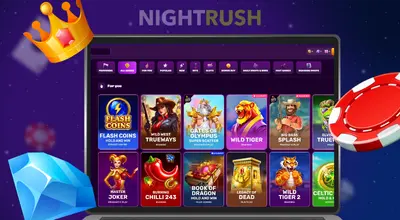

Choosing among the top mobile casino apps Canada players encounter is often less about a glossy download page and more about how quickly the platform helps you find, check and manage what you need. The browser-based service described through casino slotrave illustrates why navigation deserves close attention: a responsive site, searchable lobby, account tools and an optional phone shortcut can offer a different experience from a traditional native app. The practical question is whether the layout remains clear and dependable on a smaller screen.
Start with the access method, not the app-store icon
Mobile casino services generally use one of three access models: a responsive website, a progressive web app (PWA), or a native application downloaded from an official app store. These options can look similar once open, but they are not interchangeable. A responsive website runs in the mobile browser and normally requires no installation. A PWA may be added to the home screen, opening in a more app-like window while still relying on web technology. A native app is separately built for iOS or Android and distributed through an app marketplace.
The available information here describes a responsive mobile website for iOS and Android, alongside an “Add to your phone” or Application option. Current descriptions identify the shortcut primarily as a PWA rather than confirming a native App Store or Google Play release. That distinction matters because a home-screen icon is not proof of a native application. Readers should check the installation prompt, the device’s app settings and the operator’s own stated requirements before assuming they are using a standalone app.
For many users, the browser route is the simplest comparison point. It avoids an extra installation and can be opened on a different device when needed. A PWA may be convenient for regular access because its icon is easier to find, but it remains dependent on compatible browser behaviour and the underlying website. The most useful test is straightforward: open the service on your phone, rotate between portrait and landscape, and confirm that menus, account controls and game panels remain usable.
Can you reach the right section in a few taps?
Good mobile navigation reduces the amount of searching required. The platform’s described lobby includes a search function, provider filters and game-category shortcuts. Categories commonly include Popular, New, Slots, Bonus Buy, Drops & Wins, Fast Games, Megaways, Hold & Win, Jackpot, Hot and Cold, live dealer and specialty sections. These labels can be helpful when they are visible and consistently applied, but a long list can also become difficult to scan on a narrow display.
Search is most useful when you already know a title or provider. Filters are better for browsing, especially when deciding between slots, live tables or faster formats. A practical approach is to use one filter at a time rather than stacking several immediately. If the results become unexpectedly small, remove the last filter and check whether the issue was a restrictive category, regional availability or a temporary loading problem.
Navigation should also extend beyond games. The mobile version is described as providing access to sportsbook markets, promotions, cashier tools, account settings and support. Those areas should be clearly separated from the casino lobby so that a tap does not lead to an unexpected section. Before using the service regularly, locate the balance display, transaction history, support contact and account-security settings. Knowing where these controls are can save time when the screen is busy or a page has loaded incorrectly.
Check whether the same account follows you across devices
A useful mobile experience should behave consistently when moving between a phone browser, a home-screen shortcut and another supported device. The supplied information states that the installed shortcut uses the same account and balance as the browser version. That can make switching convenient, but it also means the account remains the central point of access. A shortcut should not be treated as a separate wallet, profile or independent account.
Account information may include the casino area, sportsbook, cashier, promotions, VIP progress and settings. Combining these services can be efficient, but it can also make the interface feel crowded. Users who only want casino content should confirm which section is active before selecting a menu item. A visible balance is not necessarily a complete explanation of available funds, since active bonuses, pending transactions or account checks may affect what can be used or withdrawn.

Security is part of navigation because login and recovery controls need to be easy to find without being exposed accidentally. The described recovery process uses the registered email address and a reset link, with spam-folder checking suggested if the message does not appear. Use a unique password and avoid saving credentials on a shared device. For broader guidance on protecting accounts and devices, consult Canada’s official cyber security guidance. Report suspected unauthorized access through the stated support channels rather than opening another account.
Where mobile convenience can create friction
Small screens make dense information harder to review. Promotional cards, game thumbnails, sports markets and account notices may compete for attention, while pop-ups can cover the control a user intended to press. Before accepting any offer, open its full terms and check the qualifying conditions, expiry period and any restrictions that apply to the account or region. The source material notes that published promotion details can vary, including whether certain free-spin offers apply to Canadian users.
The cashier deserves particular care. Available methods, account currency, minimums and withdrawal conditions are not presented consistently across all published descriptions. Some account versions may show CAD, while other terms refer to EUR or USD. That means a mobile screen showing a familiar payment logo does not establish that every method, currency or limit is available to every user. Check the cashier and current operator terms before depositing, and do not rely on a review’s general description as a personal guarantee.
Verification can also interrupt an otherwise smooth mobile journey. Registration normally involves personal details, and withdrawals may require identity, address or payment-ownership documents. A phone camera can make document submission convenient, but glare, cropped edges or mismatched details can cause delays. Use accurate information from the beginning and keep copies of submitted records. If a process asks for something unclear, pause and contact support rather than repeatedly submitting incomplete documents.
Use a simple comparison routine before settling in
Comparing mobile casino apps becomes more meaningful when each service is tested against the same practical tasks. Open the lobby on a phone with a normal mobile connection and see how quickly the main sections appear. Search for a known title, apply a provider filter, return to the main lobby and locate support. Then open account settings and check whether important information is readable without excessive zooming or sideways scrolling.
A short checklist can reveal more than a promotional description:
- Can the casino, live dealer and sportsbook areas be distinguished immediately?
- Does search respond accurately to partial titles or provider names?
- Are account, cashier, support and security controls easy to locate?
- Does the layout remain usable after changing orientation?
- Does the home-screen shortcut behave like a PWA rather than implying an unconfirmed native app?
- Are regional terms and current promotional conditions visible before an action is taken?
After the test, decide whether the convenience is worth the trade-offs. A browser site may be better for occasional use, while a PWA shortcut may suit someone who returns frequently. Neither format removes the need to check current availability, account requirements or transaction conditions. The strongest choice is the one that makes information easy to verify, keeps essential controls visible and does not pressure you into making a decision before the details are clear.
Mobile navigation FAQ
Is a phone shortcut the same as a native casino app?
No. A home-screen shortcut may open a progressive web app, which uses web technology and a compatible browser. A native application is separately installed through an official app marketplace. Check the installation details and device settings rather than assuming that an icon proves native-app status.
Can the same mobile account work in a browser and shortcut?
The supplied information says the installed shortcut uses the same account and balance as the browser version. Even so, access, products and features can vary by location or account configuration. Confirm that the correct profile is active before reviewing balances, promotions or transaction information.
What should be checked before using a mobile casino service?
Check the access method, account and security controls, current regional terms, currency display, payment conditions and verification requirements. Test search and support on your device first. If a promotion, cashier option or installation method is unclear, review the operator’s current information before proceeding.